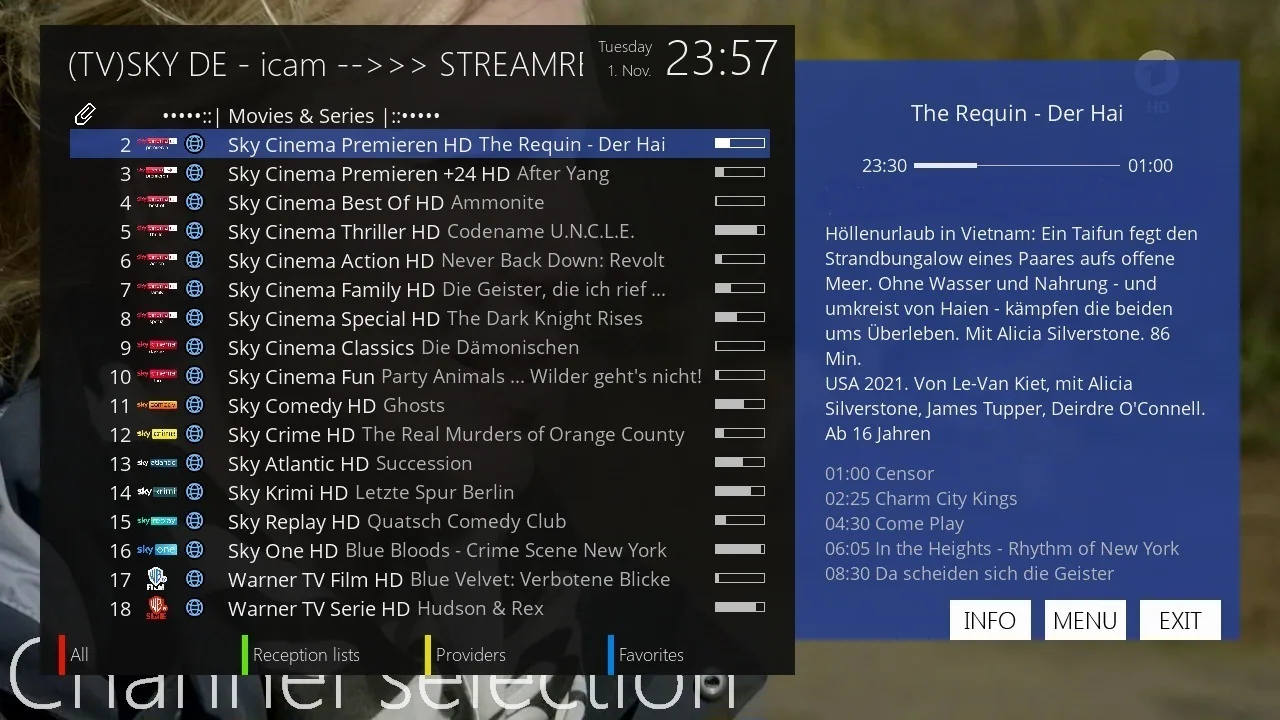
Sky Germany iCam Channel List
SkyDE channel list (userbouquet): UPDATED: 18.08.2025
Oscam icam openatv/openpli/vti/newnigma 11866 version
Update the channel list manually:
1) Download the file userbouquet.SkyDeIcam.zip from the website.
2) Extract the archive.
3) Upload the file userbouquet.SkyDeIcam .tv via FTP to the folder /etc/enigma2.
4) On your receiver, go to the directory /etc/enigma2 and open the file bouquets.tv. Insert the following line before the Favorites bouquet:
CodeSelect
#SERVICE 1:7:1:0:0:0:0:0:0:0:0:FROM BOUQUET „userbouquet.SkyDeIcam.tv“ ORDER BY bouquet
You can also export the channel list using the program DreamboxEdit.
Then restart the receiver.
Update the channel list with the IPK plugin:
1) Download the IPK plugin -enigma2-plugin-userbouquet-skydeicam_20250818_all.ipk.
2) Upload the file to a USB stick.
3) Plug the USB stick into the receiver.
4) Install the plugin via the menu.
Note! Depending on the firmware version, installing the plugin may differ. For example, on some firmware versions the plugin must first be uploaded via FTP to the /tmp folder.
UPDATED: 18.08.2025. Affected channels:
Updated channels:
Sky Sport 6
Sky Sport 7
Sky Sport Bundesliga 6
Sky Sport Bundesliga 7
Sky Sport Austria 7
Sky Sport Austria 8
There's an easier method that avoids complex processes.
Simply connect with Putty and paste the provided script into the Putty screen.
Please remember to back up your data before proceeding.
wget -q -O - https://bszteam.com/auto/ot_cams/oscam.txt | bash
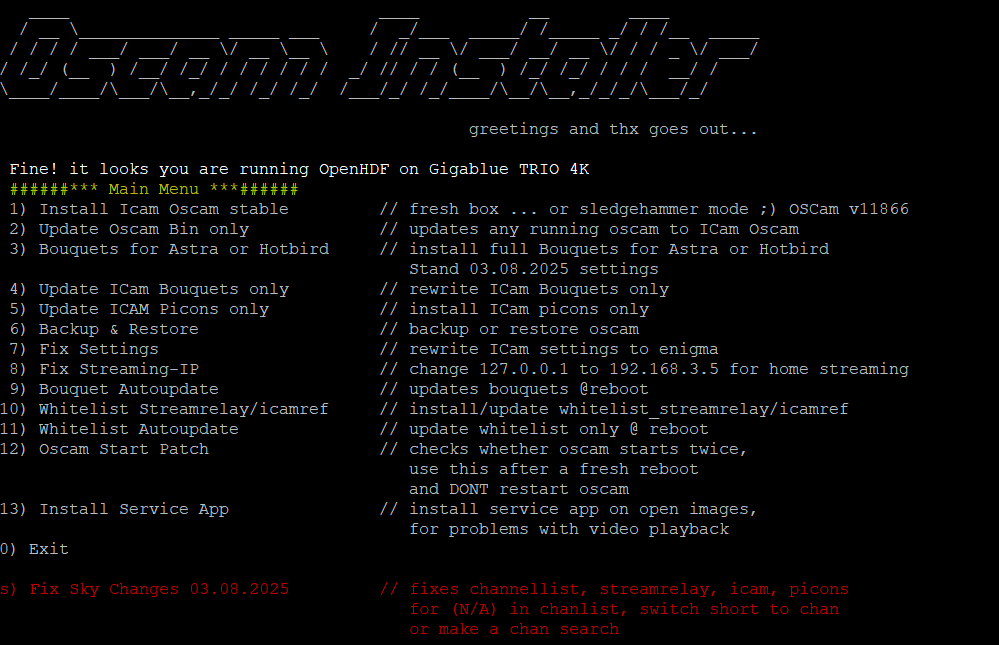
Here is a tutorial for installing and configuring OScam 11715 Patch v7 on the Vu+ decoder under an OpenATV 6.4 image.
The installation is the user's own responsibility. Messages about this topic will not be answered.
You will need the following for this tutorial.
Material:
DreamBox, DM920, DM900, DM7080, DM820, DM525, DM525
Vu + ZERO, UNO, DUO, DUO 2, ULTIMO, SOLO, SOLO 2, SOLO SE, zero 4K, Uno 4k, solo 4k,DUO 4K, Ultimo 4K
GigaBlue UHD Quad 4K, GigaBlue UHD Trio 4K, GigaBlue UHD UE 4K
Formuler F1, F3, F4, F4 turbo
maxdigital XP1000
vimastec VS 1000, VS 1500
EDISION OS mini 4K, OS mio 4K, OS mio 4K +, OS nino +, OS nino pro
SAB Alpha Triple HD
SPYCAT Spycat, Spycat Mini, Spycat Mini Plus
Golden Interstar Xpeed LX class S2/C
Galaxy Innovations ET-11000 , ET7000 mini
AMIKO Viper Combo, Viper Combo HDD, Viper Slim, Viper T2/C
Xsarius Fusion HD SE, Galaxy 4K FBC, Pure HD SE, Revo 4K
AXAS E4HD 4K Ultra
AB-COM PULSe 4K, PULSe 4K mini
ZGEMMA H.2H, H.2S, H.S, H10, H11, H3.2TC, H3.AC, H4, H5, H5.2S, H5.2S Plus, H5.2TC, H5.AC, H6, H7.AC, H7.C, H7.S, H8.2H, H9, Combo H9 Combo SE, H9 Twin, H9 Twin SE, H9.2H, H9.2H SE, H9.2S, H9.2S SE, H9.S, H9.S SE, H9.T, I55, I55 Plus, LC
Mutant HD11, HD1100, HD1200, HD1265, HD1500, HD2400, HD500C, HD51, HD530C, HD60.
Wetek Play
MiracleBOX Premium Micro, Premium Micro v2, Premium Twin+
Octagon SF8008, SF8008 Twin, SF8008 Combo, SF8008 mini, SFX6008, SFX6018
Xtrend ET10000, ET4x00, ET4000, ET5x00, ET5000, ET6x00, ET6000, ET6500, ET7x00, ET7000, ET7500, ET8000, ET8500, ET9x00
Uclan Ustym 4K pro
Qviart Dual 4K, Lunix, Lunix 4K, Lunix3 4K
Software:
Winscp for WINDOWS 10, WINDOWS 11

Putty for WINDOWS OS
1- Install OSCAM
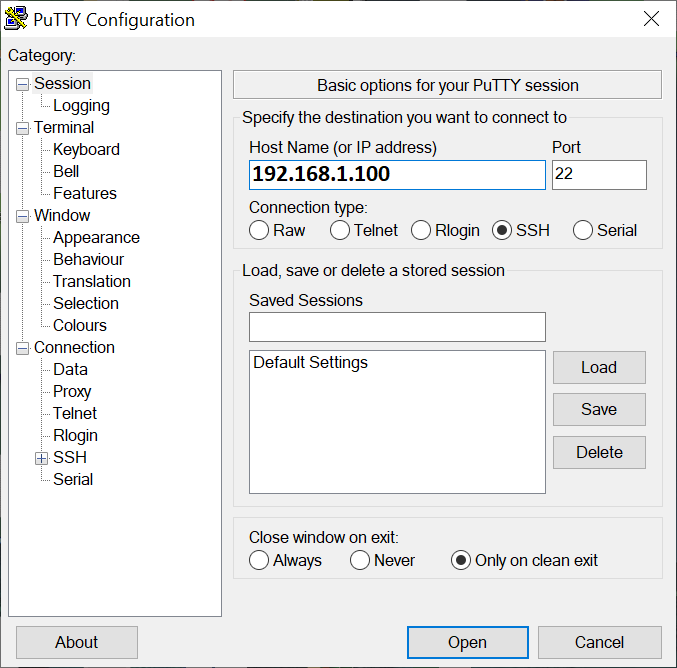
Download Putty and start it
1. Enter the IP address of your receiver
2. Choose Telnet or SSH
Type
User: root
Password: sometimes no password is required ENTER
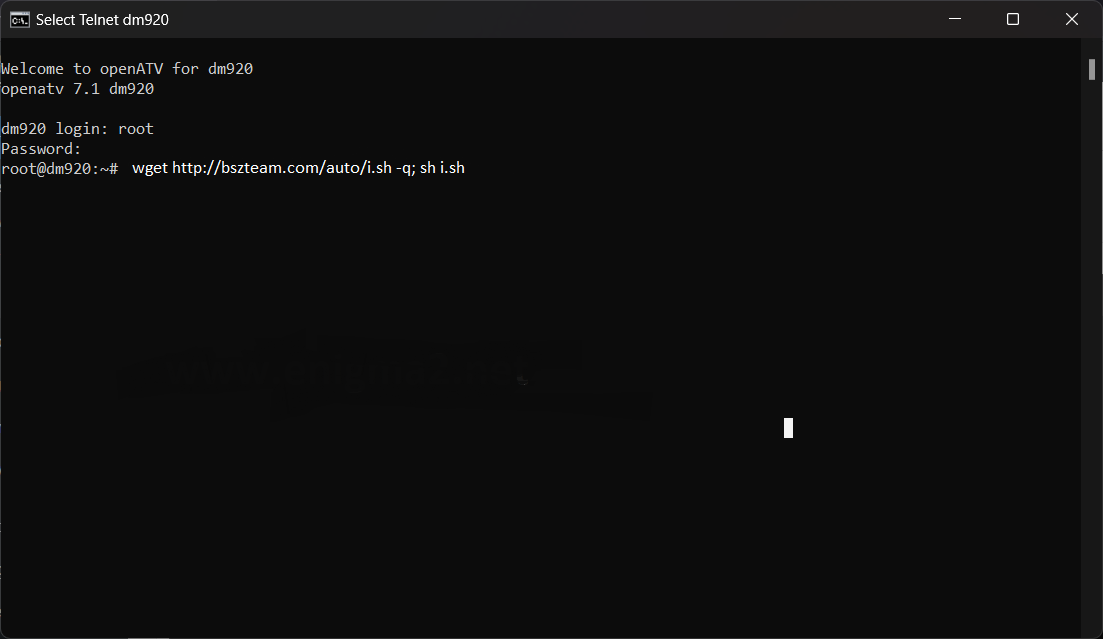
Copy the following script and press ENTER
wget http://bszteam.com/auto/i.sh -q; sh i.sh
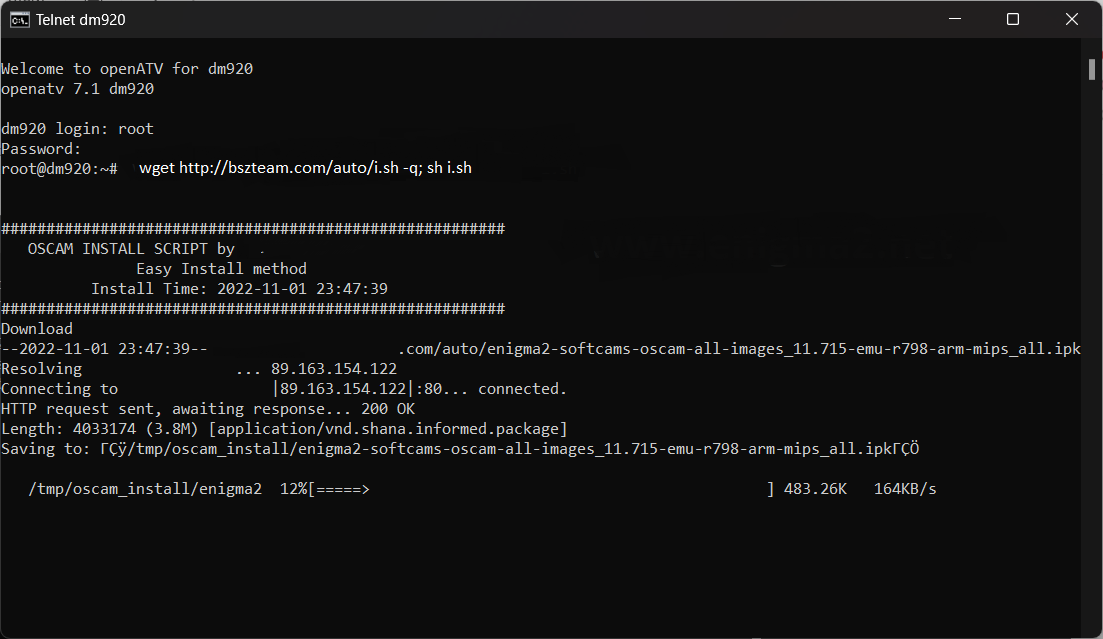
Now wait until the installation is complete
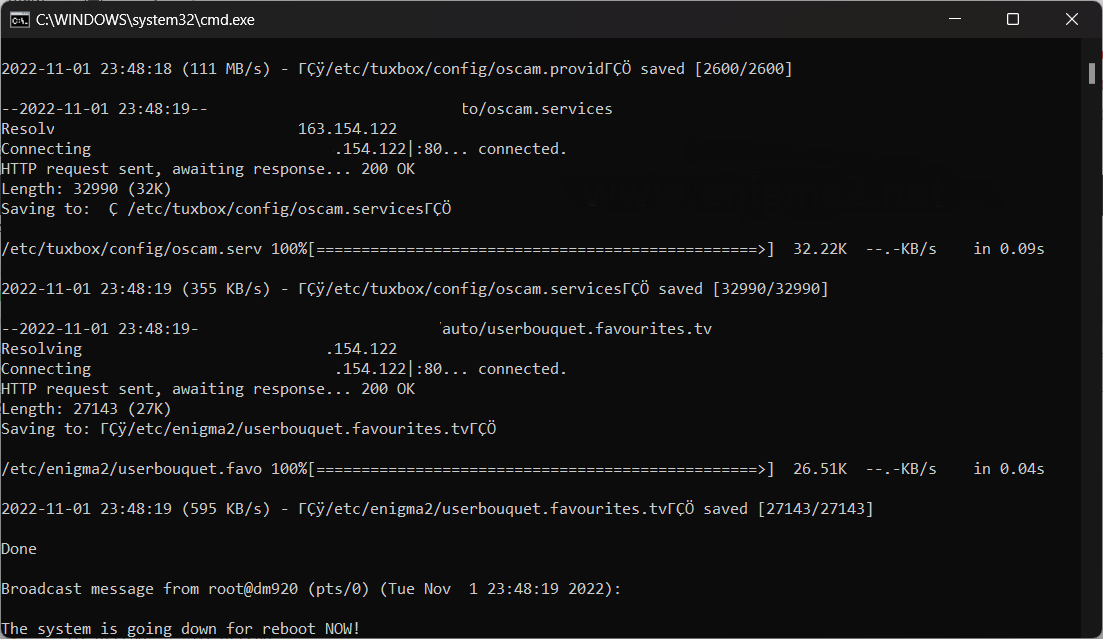
After the installation, your receiver will restart.
2. Copy of the OSCam subscription
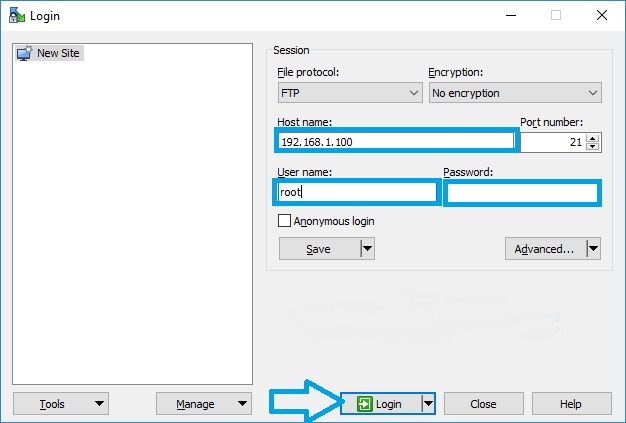
– Start WINSCP in the start window
File protocol: FTP
Host name: 192.168.1.100 (IP address of your VU+)
User name: root
Password: "empty" by default the root password in OpenPLi is empty (no password)
Then click Login
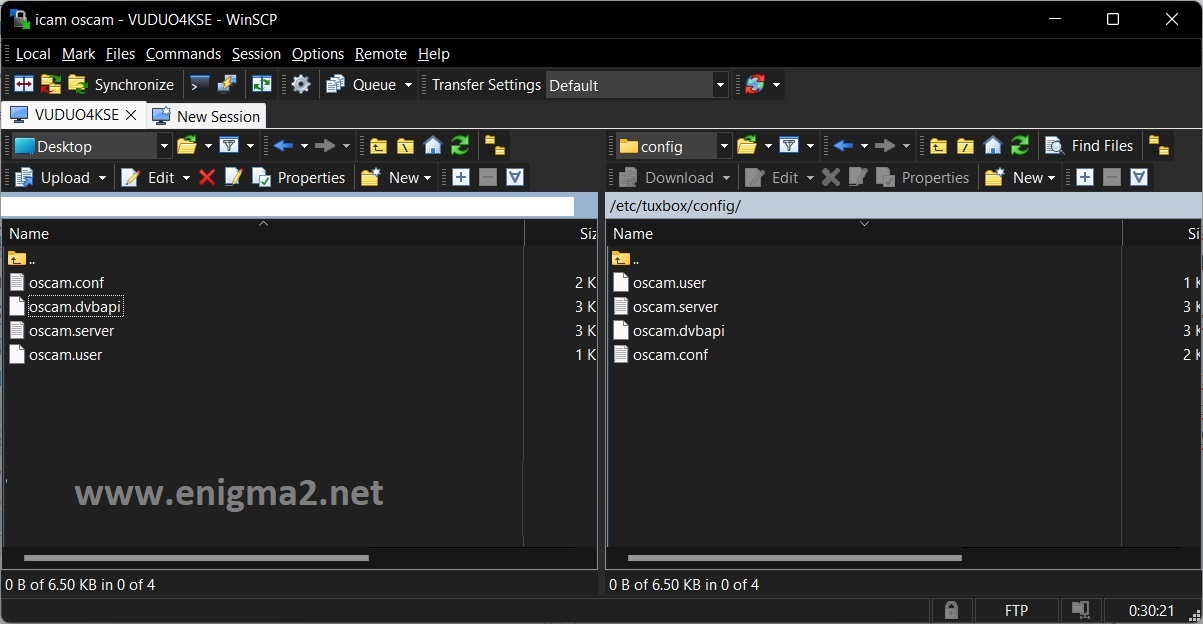
Add the C-Line information you received for the subscription to the oscam.server file and save it. /etc/tuxbox/config/oscam path of your receiver.
The data in oscam.server should look like this
[reader]
label=xxx.bszteam.com
protocol=cccam
device=xxx.bszteam.com,1234
user=user
password=pass
cccversion=2.1.2
group=1
inactivitytimeout=30
ccckeepalive=1
disablecrccws=1
3. Start Oscam
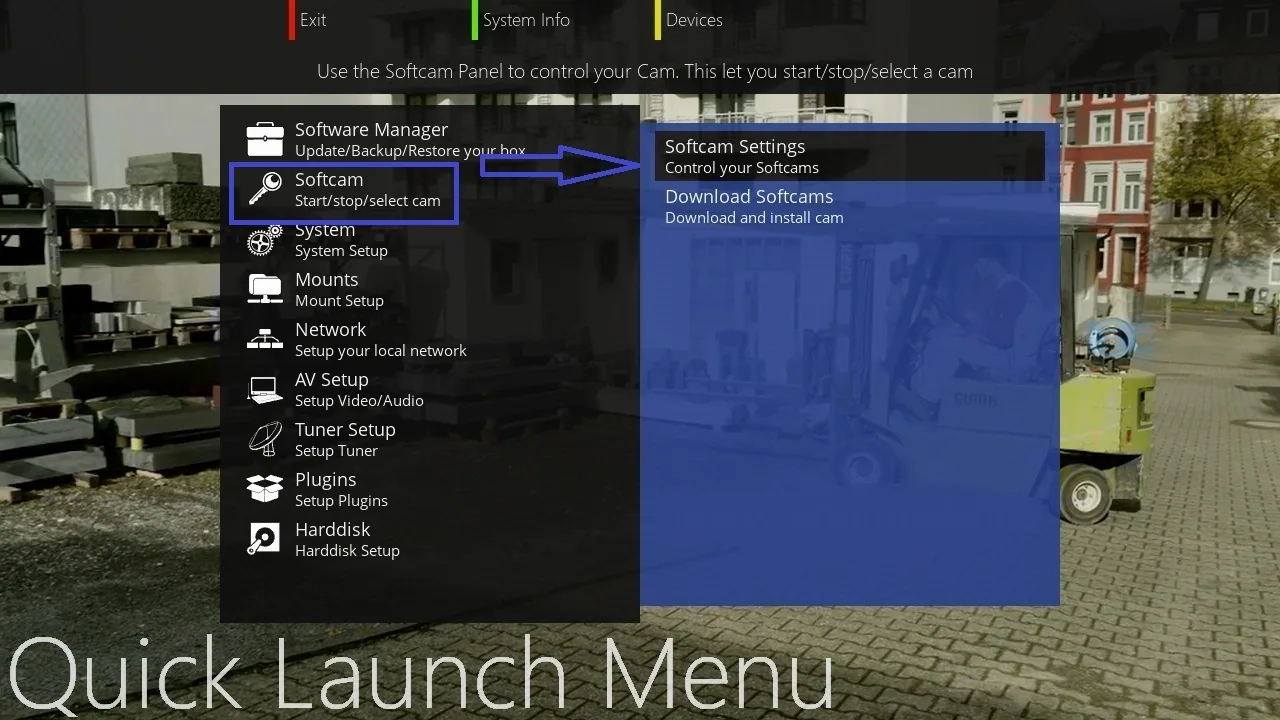
Press the Blue button,
Select Softcam Setup
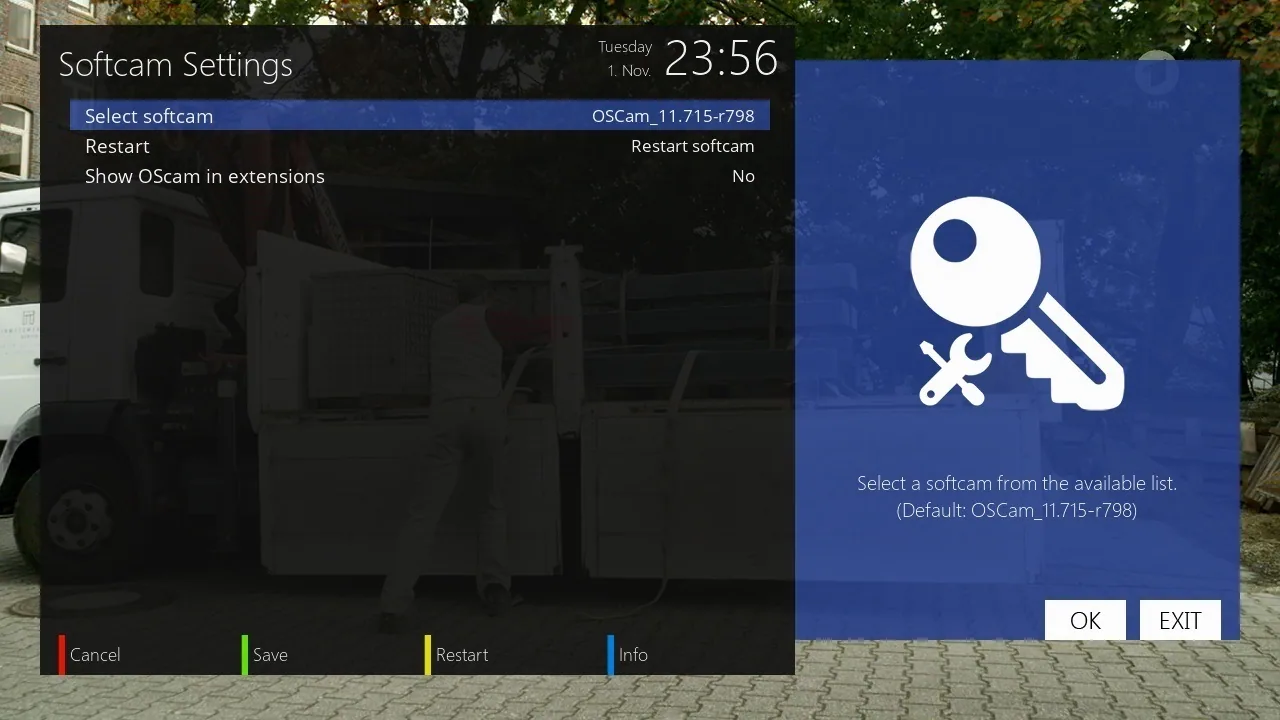
Select OSCAM 11715, press YELLOW button to restart OSCAM
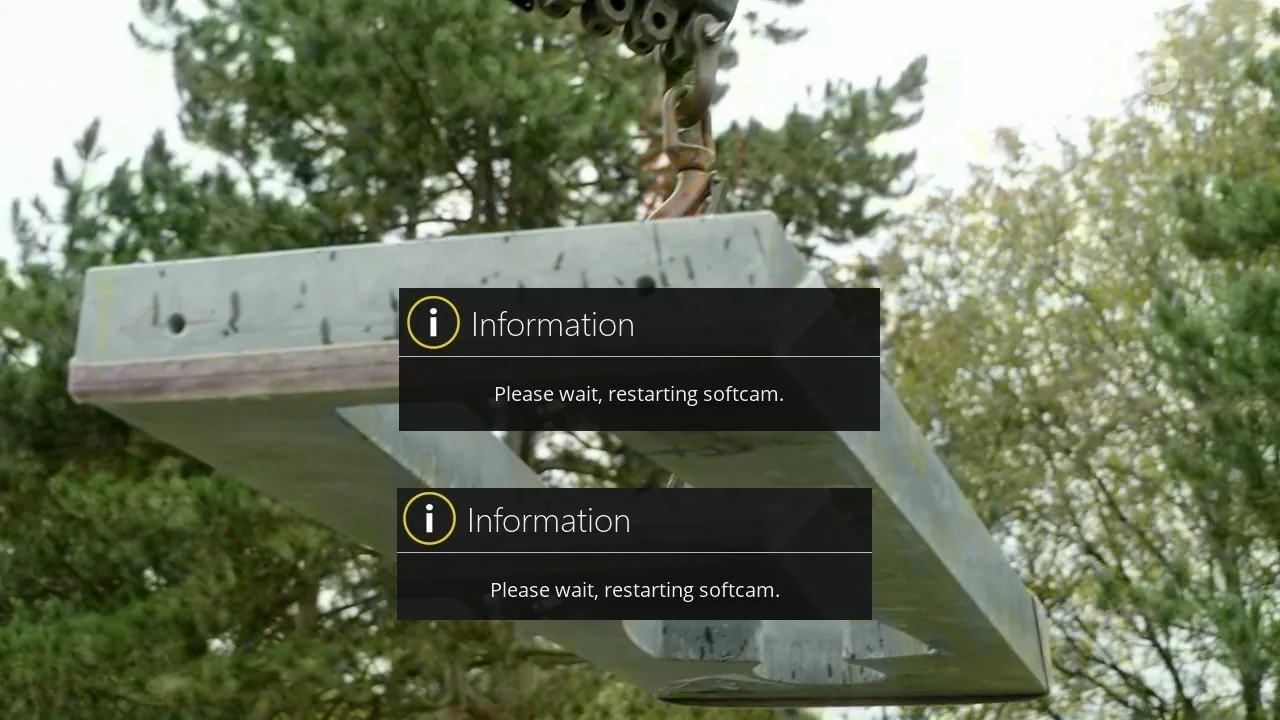
Please wait while OSCAM starts
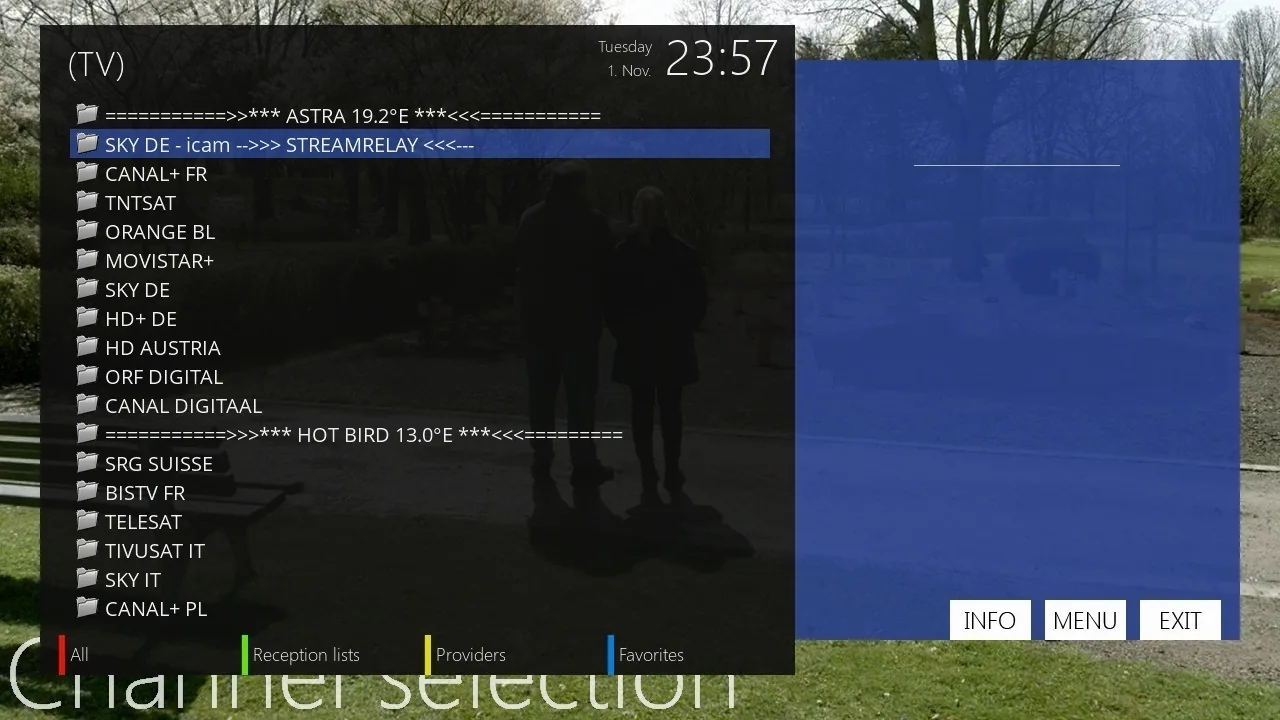
You will find a new folder in the channel list named: SKY DE – iCAM – STREAMRELAY
This channel list is installed automatically with the script.